Community
 Video Library
 Agent Training
 Freshservice
 Freshdesk
 Freshchat
 Freshcaller
 Freshsales
 Freshteam
 Freshworks Neo
 Freshsurvey
TABLE OF CONTENTS
The Freshcaller widget is getting a refreshed look and feel to help you handle calls more efficiently. This article walks you through all the changes in the widget so you know what to expect before the upgrade rolls out to your account.
Prerequisites:
- Ensure you have agent permissions to make and receive calls.
Overview of the upgraded widget experience
The updated Freshcaller widget moves from a full-screen expanded layout to a compact floating widget that overlays your existing workspace. The updated widget introduces a compact, contextual design that keeps key call actions within easy reach without taking over your screen.
Note: The new widget design does not affect any call functionality. All existing call actions remain available.
Rollout plan
Date and timeline: Starting October 2026, your account will be upgraded to the new widget experience. You will receive an email about your upgrade and the next steps required.
Note: This is a seamless transition and upgrade, with no action needed from you.
Upcoming widget changes
Here’s an overview of the upcoming enhancements in the widget:
- Overall widget layout
- Contact management
- Notes and tags
- Conversation history
- Real-time speaker visibility
Overall widget design and layout
The Freshcaller widget’s overall structure has been updated. The call controls, contact header, and contextual panels are reorganized for a more streamlined experience.
Detailed comparison:
What’s available today | What’s new |
|
|
Legacy Freshcaller experience (before October 2026)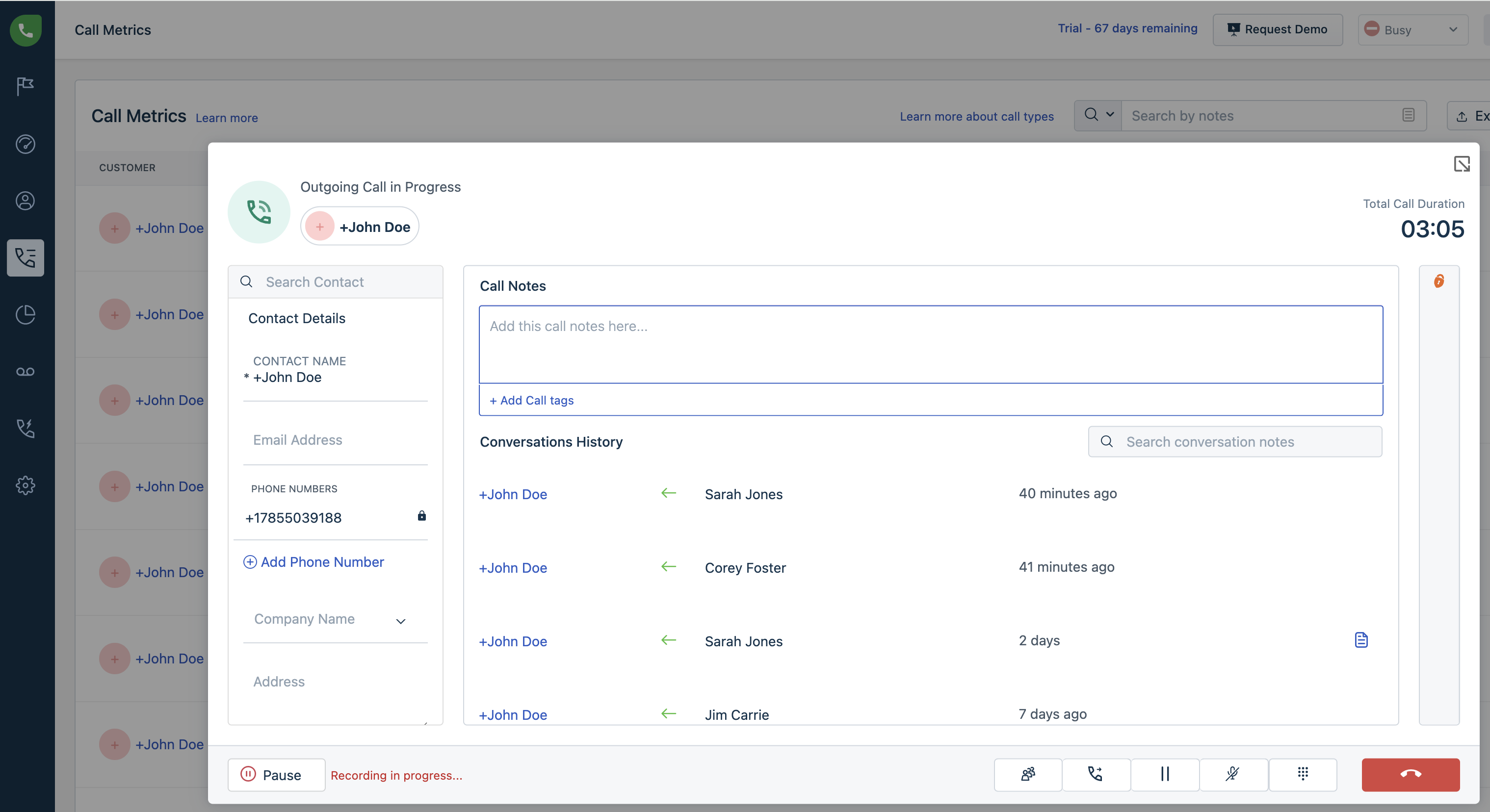
New Freshcaller experience (after October 2026)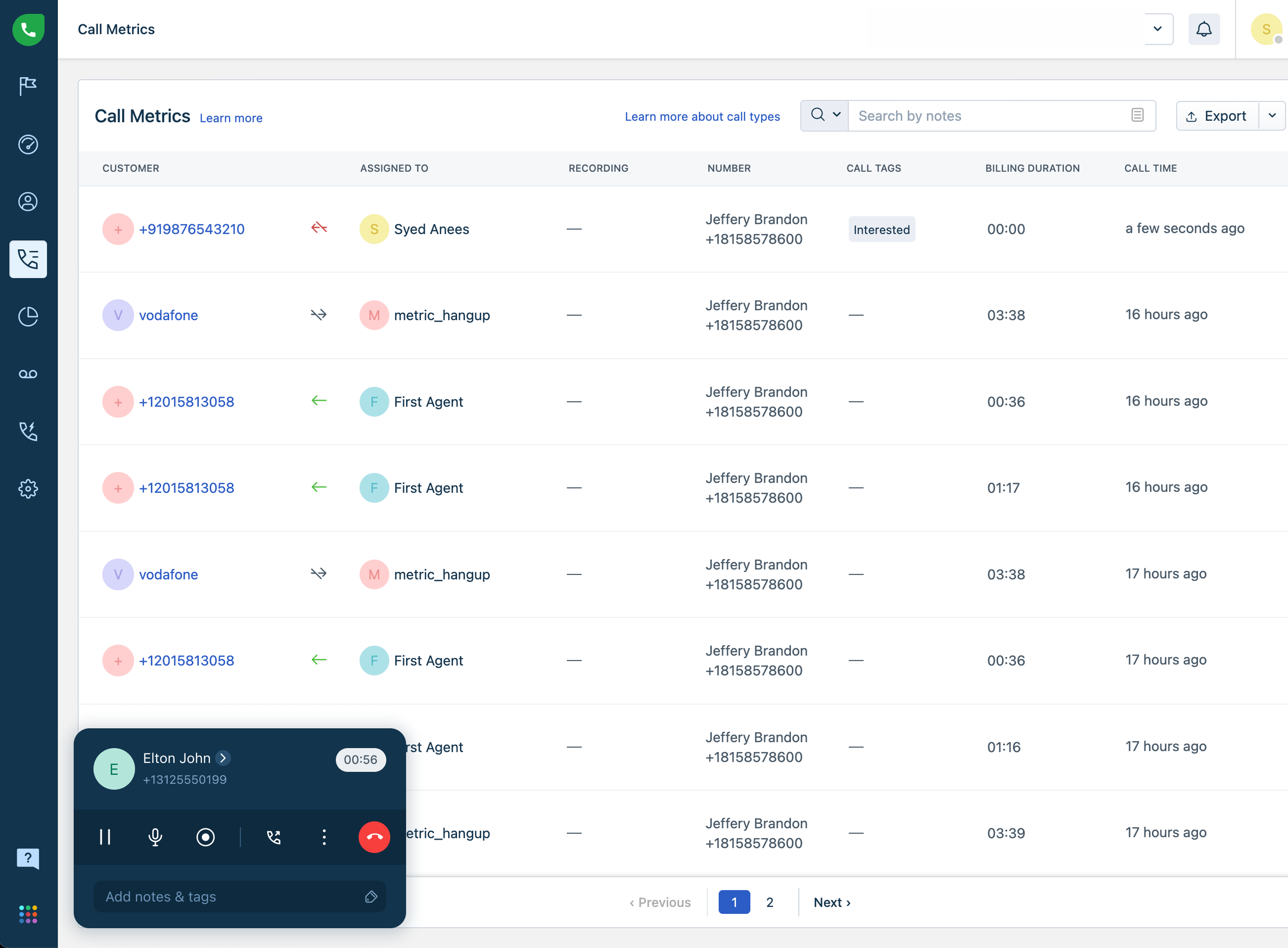
Manage contacts during a call
The following table summarizes the key differences in contact management between the current and updated widgets.
Detailed comparison:
What’s available today | What’s new |
|
|
Legacy Freshcaller experience (before October 2026)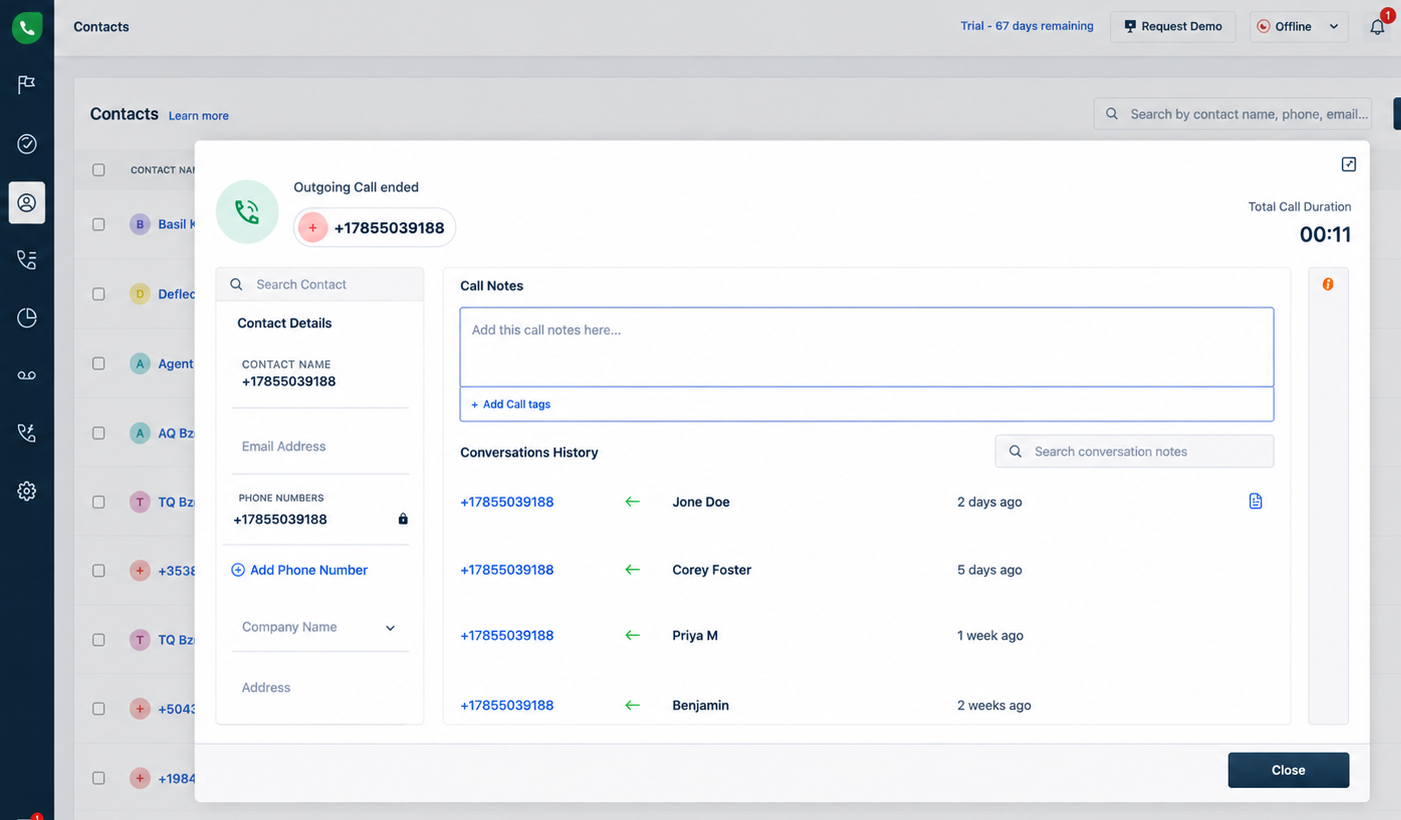
New Freshcaller experience (after October 2026)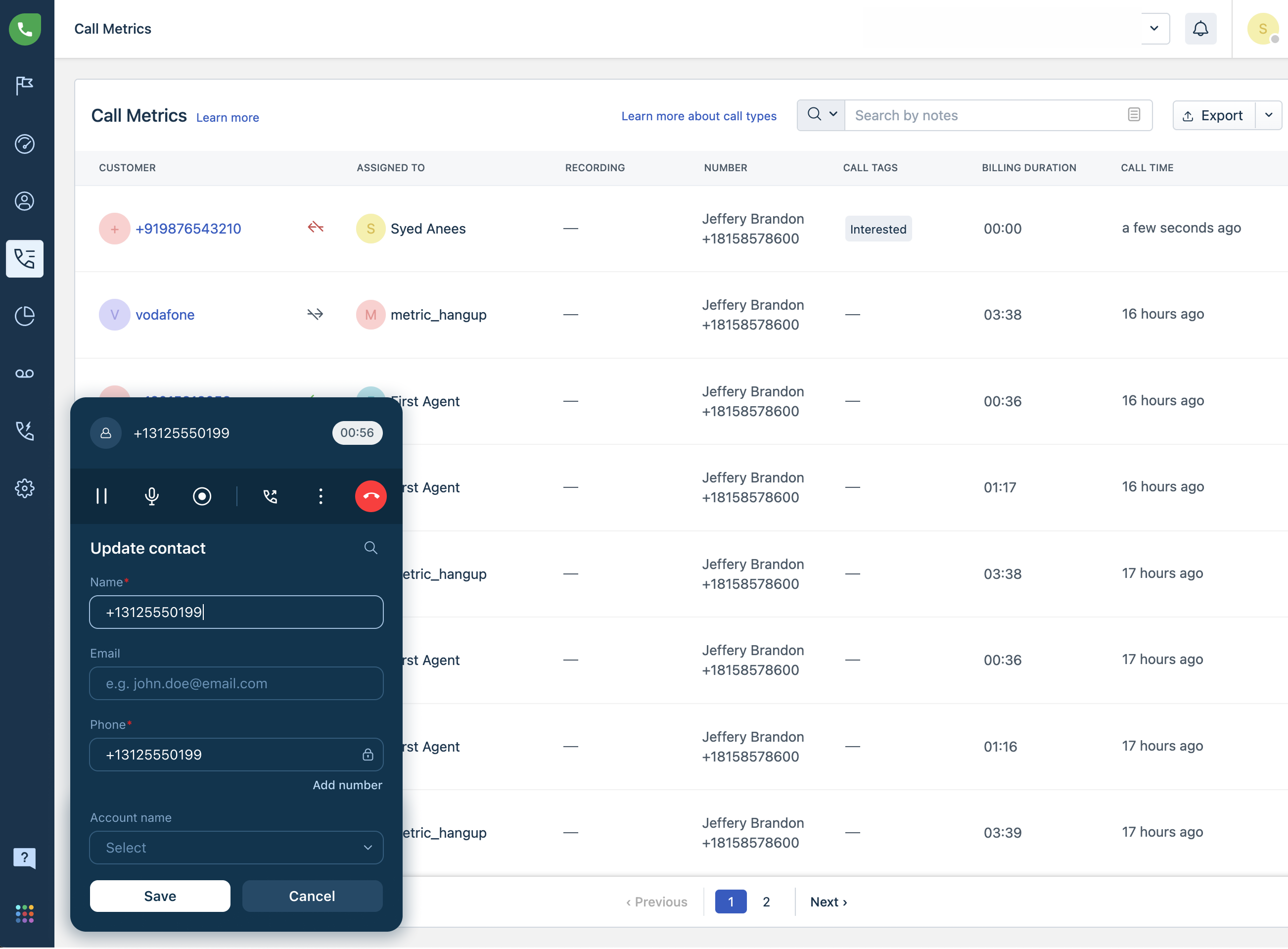
Add call notes and tags
The notes and tags experience has been redesigned to provide a unified workspace for capturing call information.
Detailed comparison:
What’s available today | What’s changing |
|
|
Legacy Freshcaller experience (before October 2026)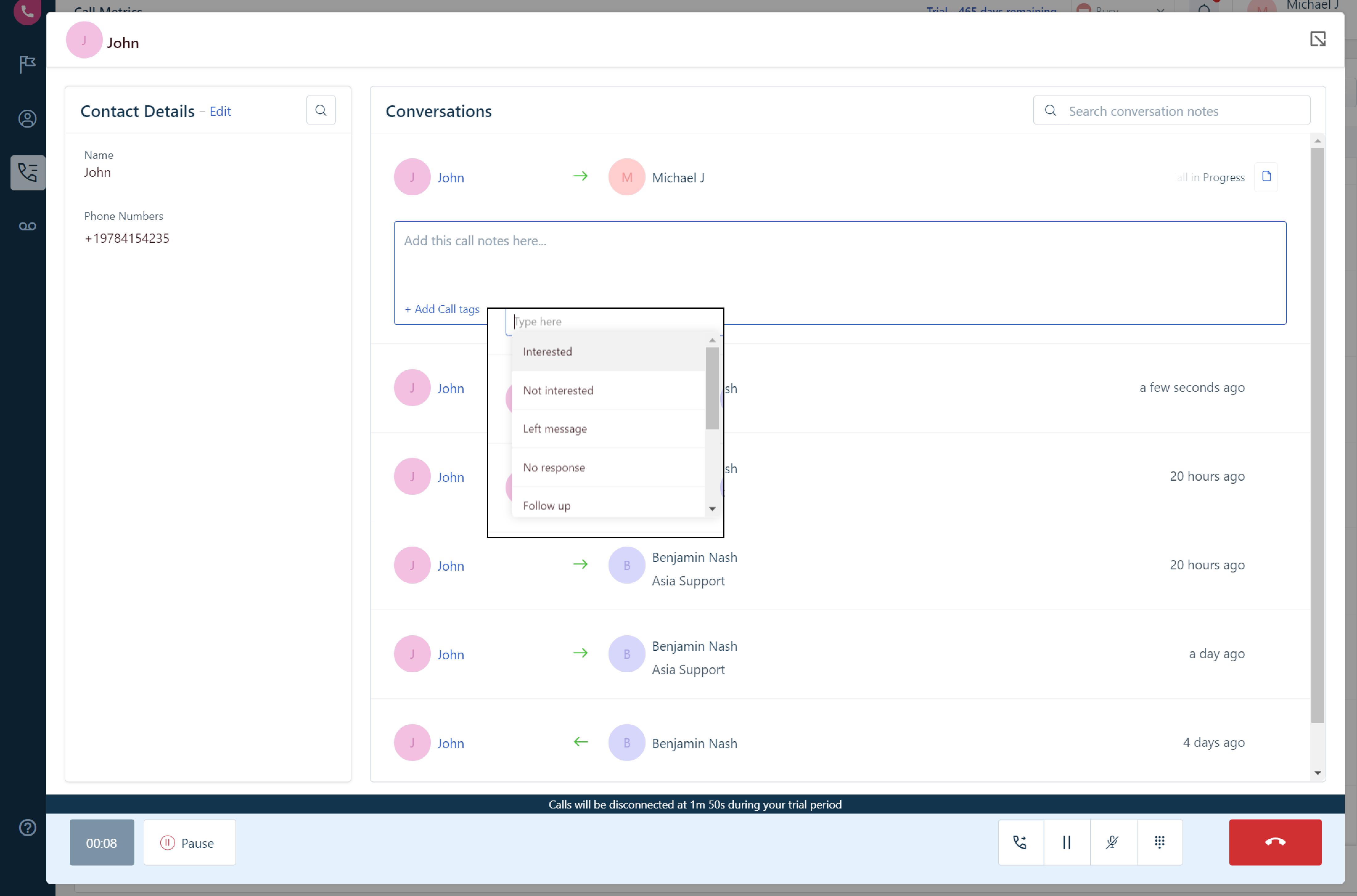
New Freshcaller experience (after October 2026)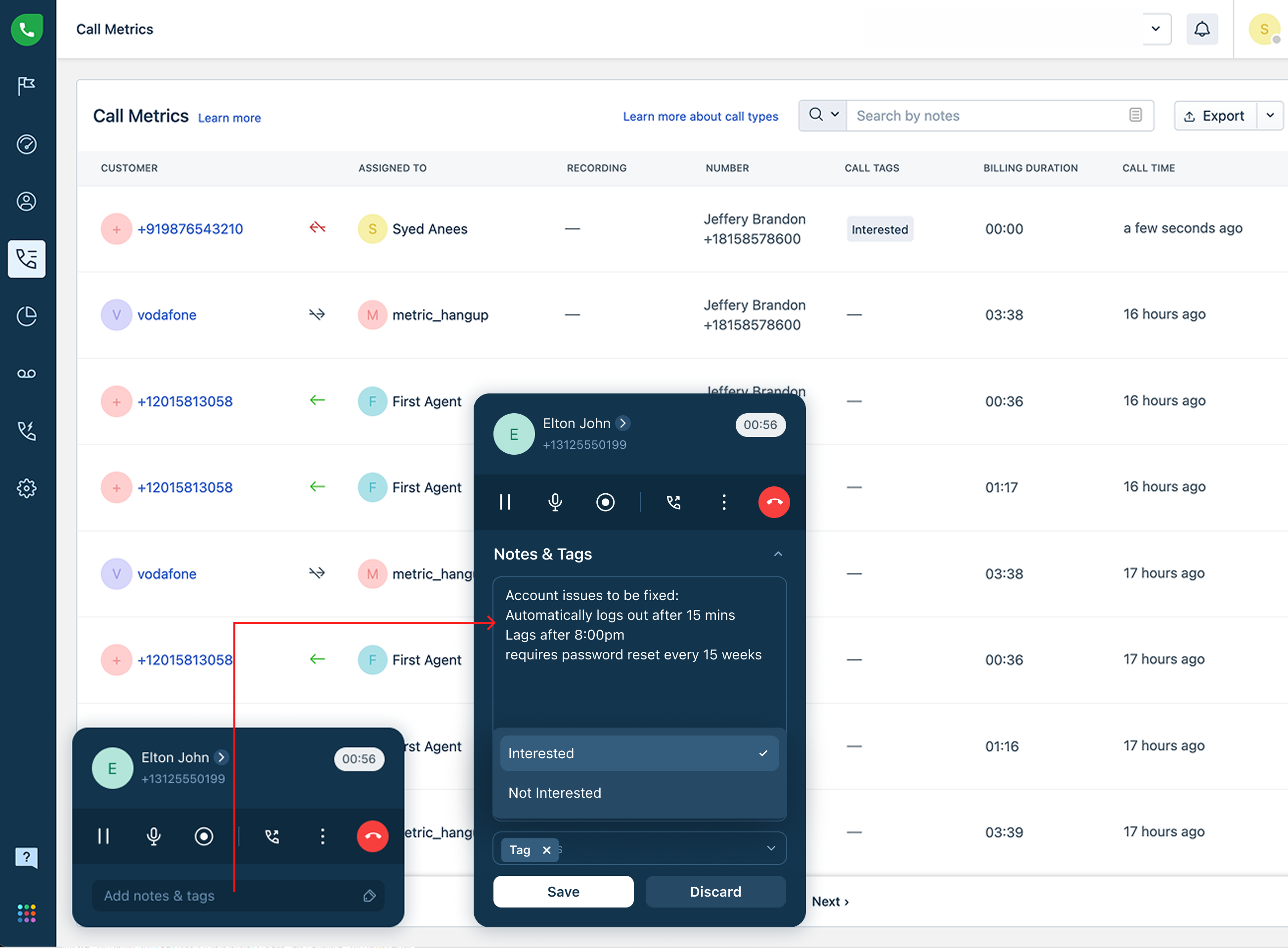
View conversation history
The conversation history section has been moved into the widget's overflow menu, keeping the main call view uncluttered. You can access recent conversations for the caller without leaving the active call screen.
Detailed comparison:
What’s available today | What’s changing |
|
|
Legacy Freshcaller experience (before October 2026)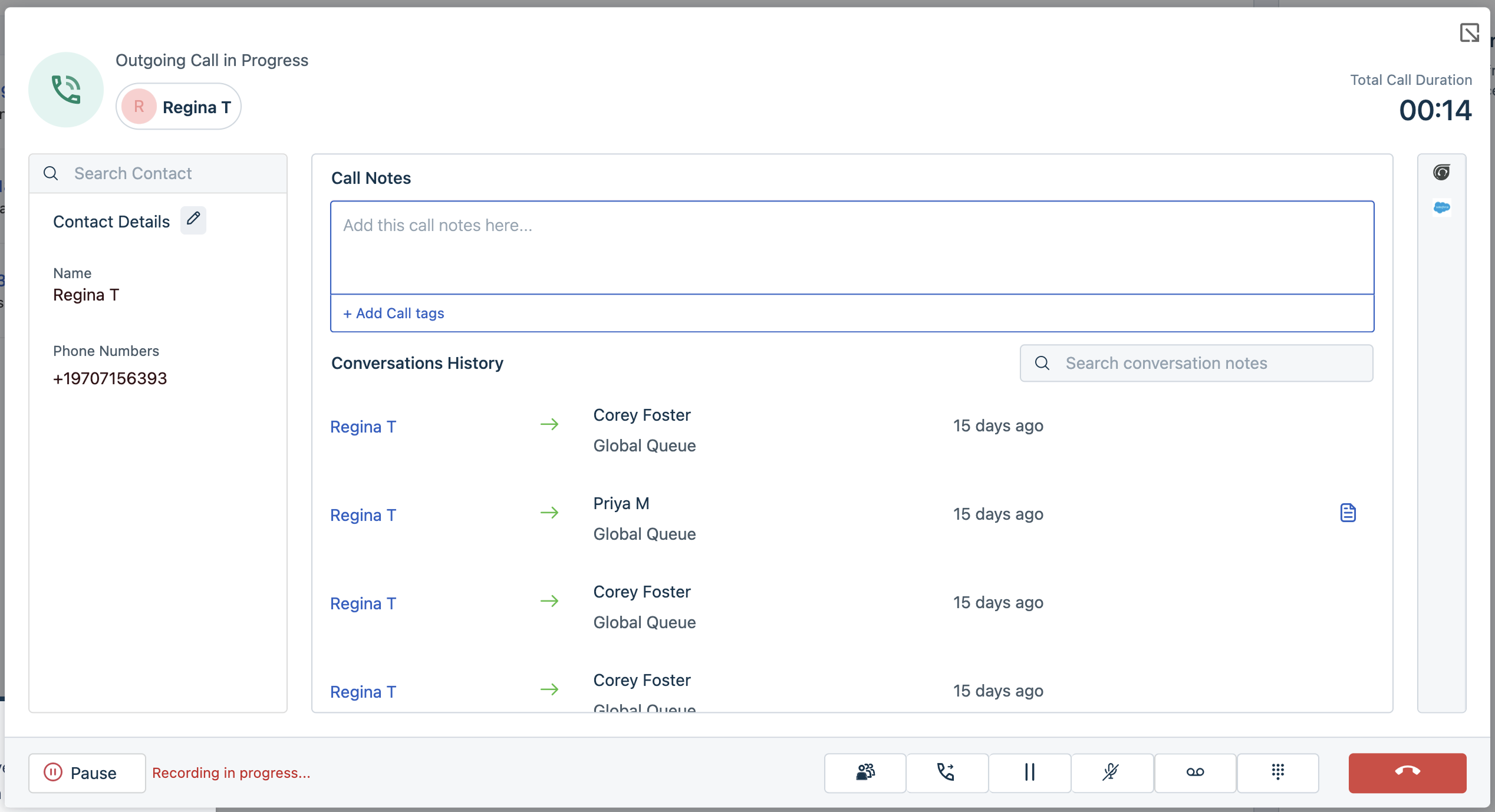
New Freshcaller experience (after October 2026)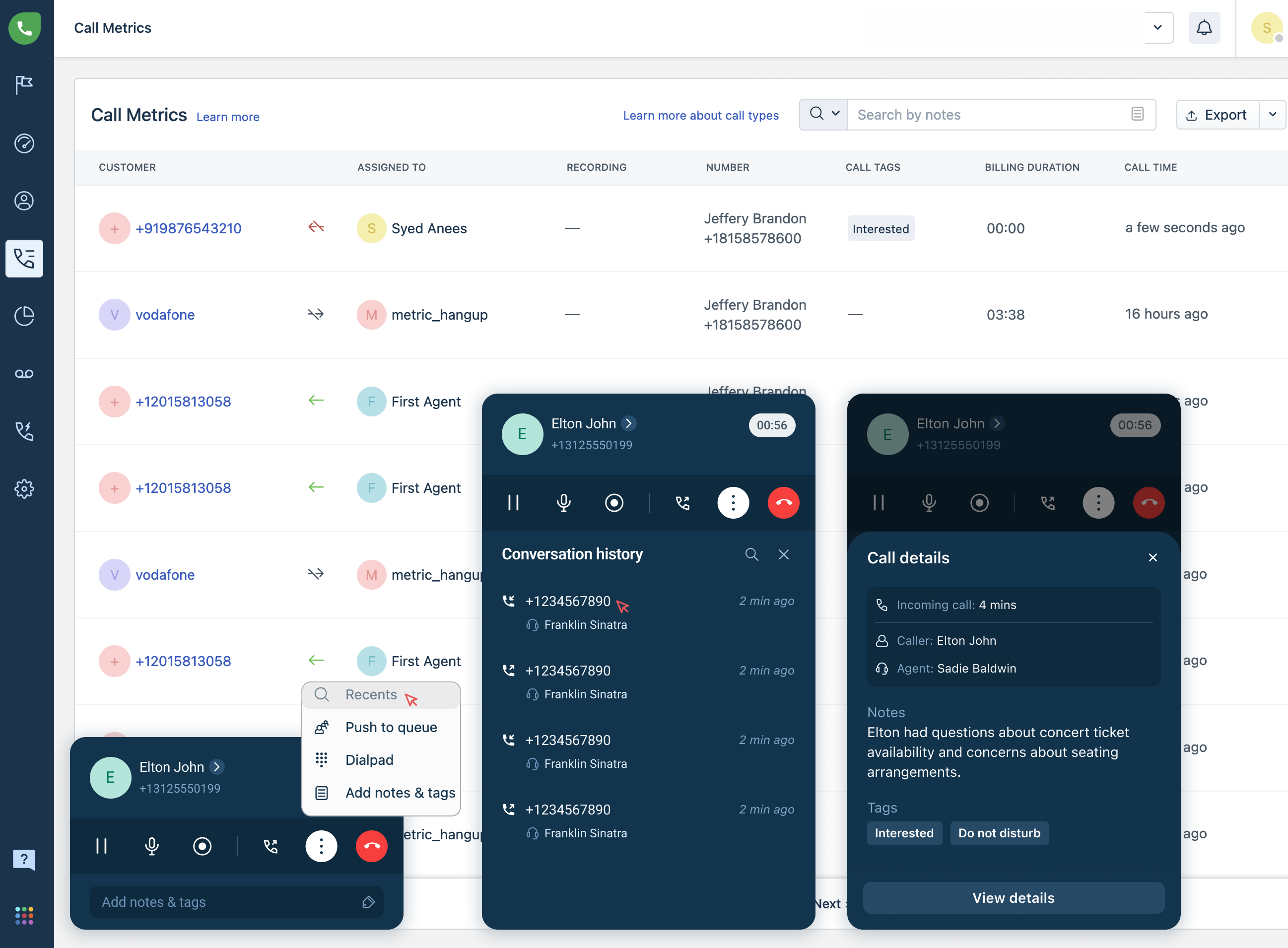
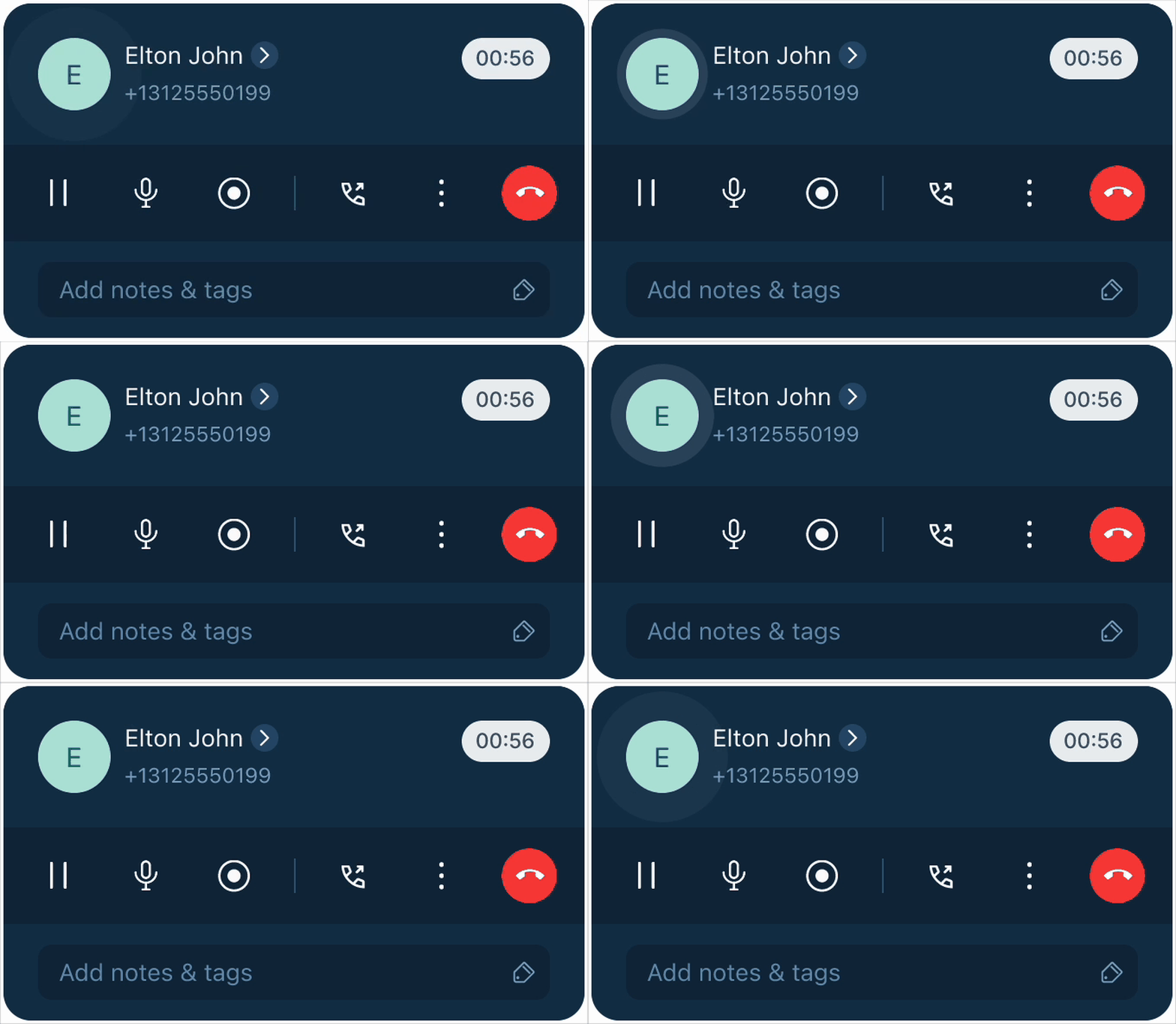
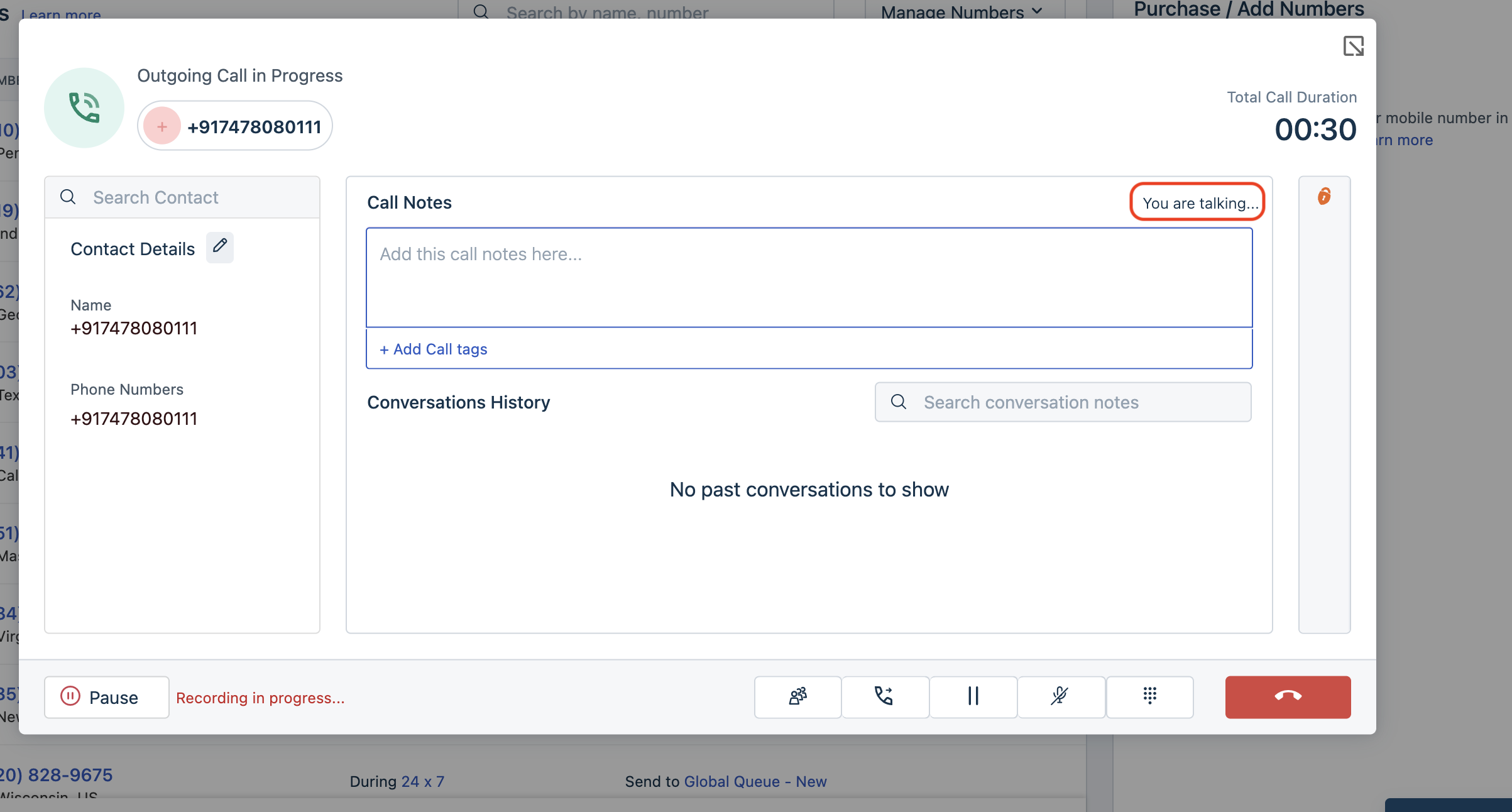
Real-time speaker visibility
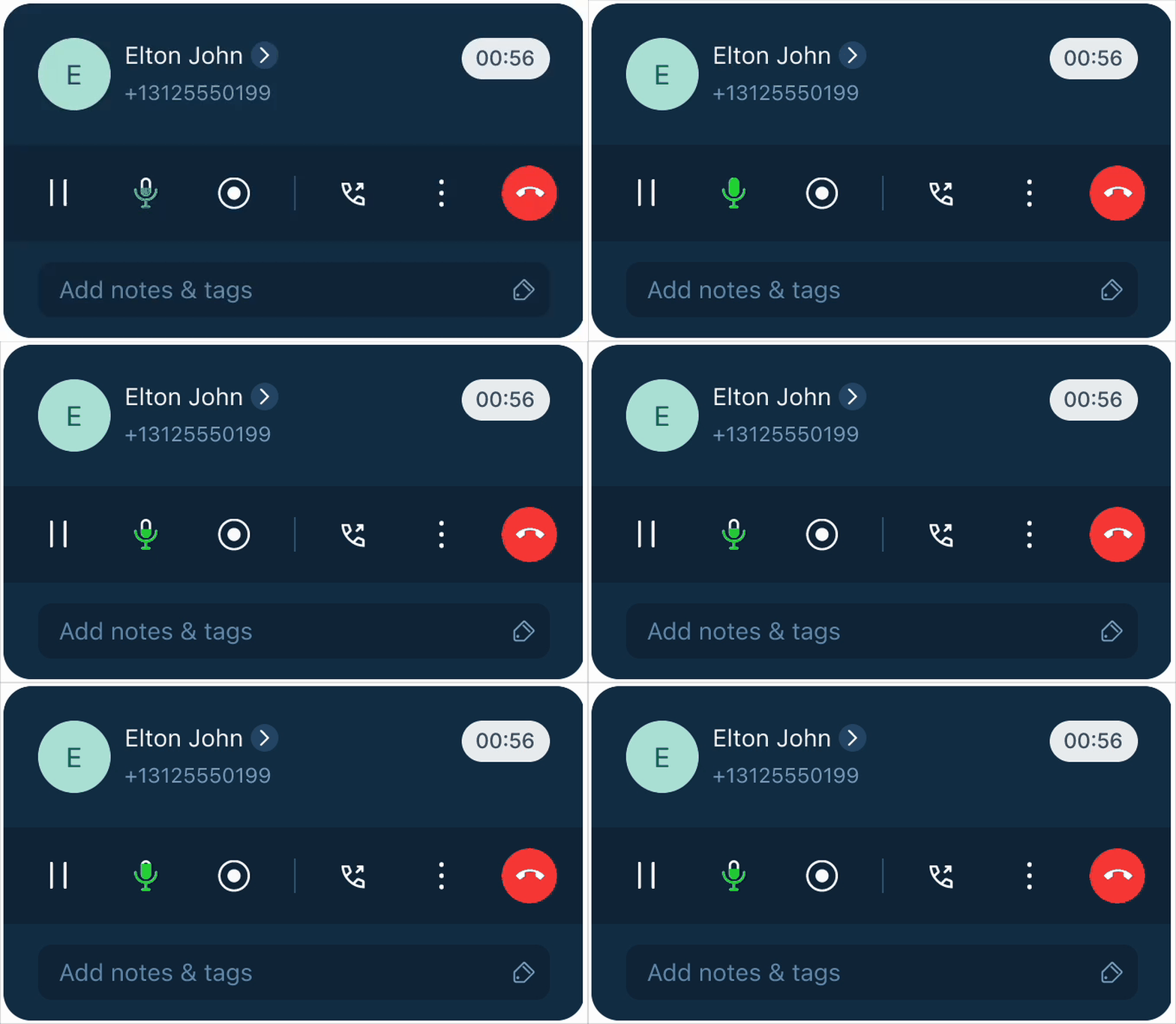
Easily identify the speakers with real-time visual indicators, making conversations and conference calls easier to follow.
Detailed comparison:
What’s available today | What’s changing |
The widget displays only text to indicate whether the agent or caller is speaking. | Animated visual indicators now identify the active speaker in real time. The changes are:
|
Legacy Freshcaller experience (before October 2026)
New Freshcaller experience (after October 2026)
- View the microphone animation when the agent is speaking
- See the caller avatar animation when the customer is speaking
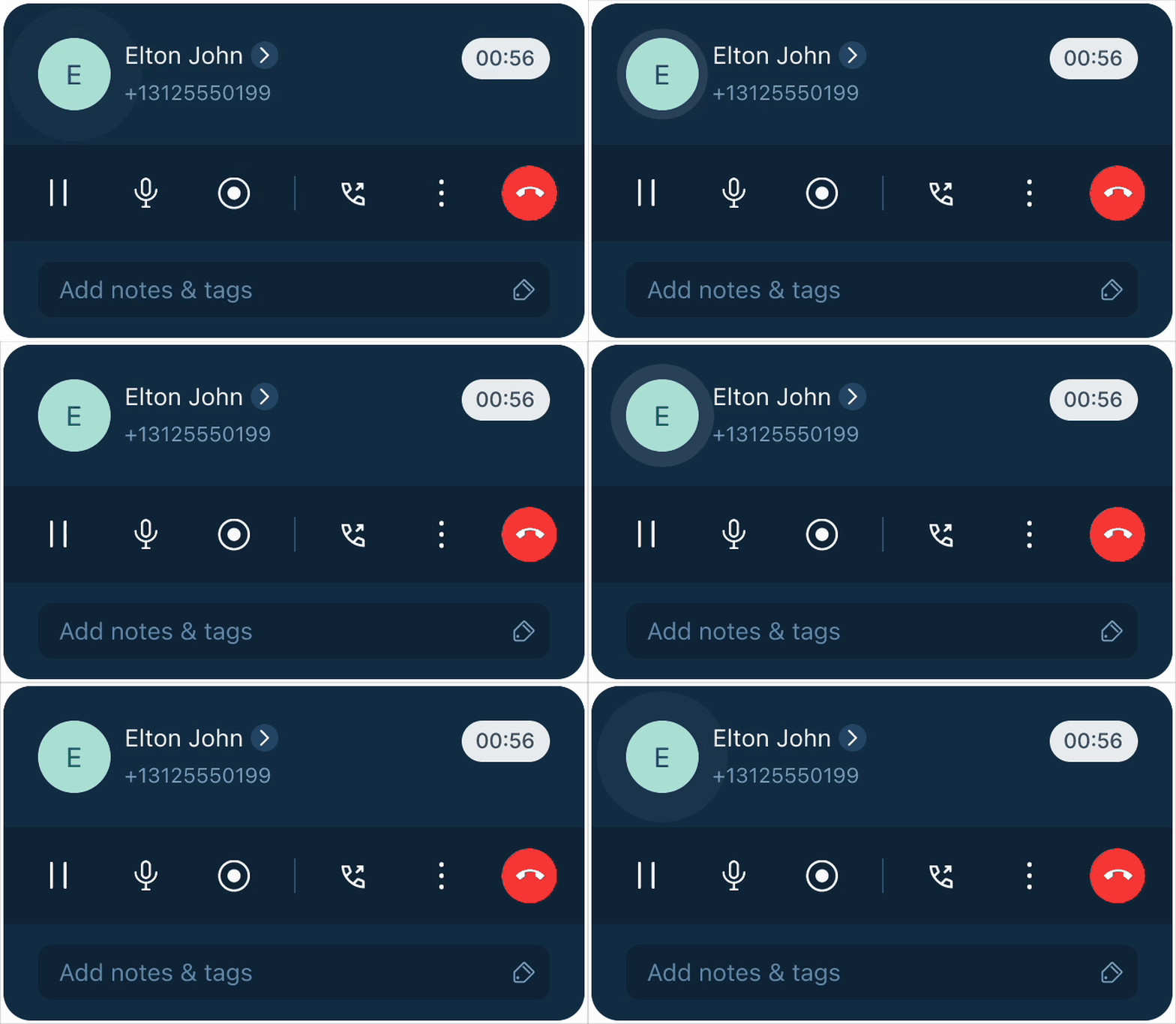
- Identify active participants during conference call